
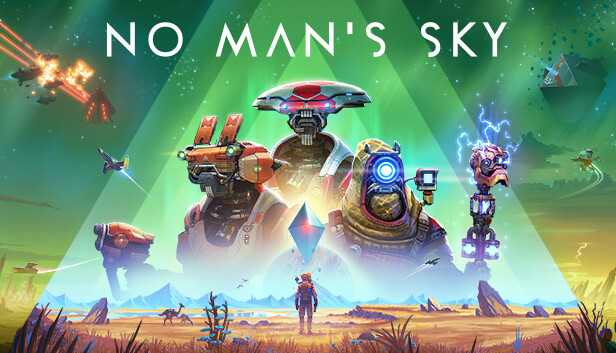
No Man's Sky (PS5 Remote Play)
Survival
Mouse one is the mining beam and mouse two is the analysis visor, with Alt holding the visor the way it does on PC. Space is the jetpack, Shift sprints, E collects, C scans, Q melees, X opens the quick menu, B opens the build menu on the touchpad, and the scroll wheel resizes the terrain manipulator beam. Ctrl walks for placing base parts, the mouse turns 45 cm per 360, and in a ship the same WASD keys steer while mouse one holds the throttle, since R2 carries both the mining beam and the thrust.
Keyboard & Mouse · Output · Haptics & lightbar
by OmniControl · 0 imports
No Man's Sky - Ship & Suit
Survival
Recharge the suit, refuel the launch thrusters, a scan sweep and the inventory transfer run.
Macros · Haptics & lightbar
by OmniControl · 0 imports
No Man's Sky - Keyboard to Controller
Survival
One layout across foot, ship and exocraft: mining and firing on the triggers, jetpack on the face button, quick menu on the bumper.
Keyboard & Mouse · Haptics & lightbar
by OmniControl · 0 imports
No Man's Sky - Traveller's Wave
Survival
Fires your emote quickly twice for a friendly greeting.
Macros · Haptics & lightbar
by OmniControl · 0 imports
No Man's Sky - Traveller's Macros
Survival
Hold to rapid-fire your mining beam for faster gathering, plus an emote wave to greet other travellers. Single-player and co-op fun.
Macros · Haptics & lightbar
by OmniControl · 0 imports
No Man's Sky - Space Survival
Survival
Smooth flight and on-foot camera tuning with a scanner trigger for space exploration.
Sticks & triggers · Haptics & lightbar · layers
by OmniControl · 0 imports
Made a setup you love?
Share it with the community, and other players can import it in one click.
Every pack is free to browse and import. Lighting, haptics, motion and key binds apply straight away; buttons, sticks and triggers reach your game once Emulation is on. Only creating and sharing your own pack needs Pro.